
Breadstack Delivery can automatically assign incoming tasks to your drivers.
Turning this function on helps you maximize efficiency by ensuring tasks are immediately assigned. Auto-assignment takes into account task deadlines, as well as each driver's capacity and distance from the location.
If auto-assignment is off, you will need to assign and reassign all new tasks manually. Learn more about assigning tasks manually.
To toggle auto-assignment on or off:
- In Breadstack Delivery, go to Settings > Organization.
- Click the auto-assignment toggle to adjust.
- Click Save Changes.
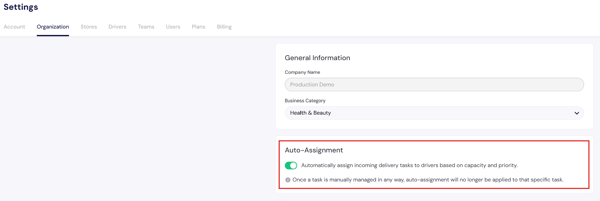
If auto-assignment is on and you make manual adjustments to a specific task, auto-assignment will no longer apply to that task.