---
title: Preparing new products in your POS for sync
description: Breadstack pulls product data from your Cova or Greenline POS and displays it on your website. Learn how to set up products in your POS for a successful sync.
---
[Skip to content](https://helpcentre.breadstack.com/preparing-new-products-in-your-pos-for-sync#main-content)
[](https://breadstack.com)
Open main navigation
Close main navigation
- [Sign in to Breadstack](https://bs.app.breadstack.io/login)
[Sign in to Breadstack](https://bs.app.breadstack.io/login)
How can we help you?
- There are no suggestions because the search field is empty.
1. [Breadstack Help Centre](https://helpcentre.breadstack.com/?hsLang=en-ca)
2. [Getting started](https://helpcentre.breadstack.com/getting-started?hsLang=en-ca)
# Preparing new products in your POS for sync
## Learn which product details to enter in your POS so your products sync correctly to Breadstack.
You can choose to have Breadstack [pull product information from your POS system](https://helpcentre.breadstack.com/switching-the-source-of-product-information-manual-entry-or-pos-sync?hsLang=en-ca), store it, and push it to your website. To ensure the details displayed on your site are clear and accurate, make sure you follow these best practices any time you enter a new product into your POS.
Please note that if you add or edit a large number of new products in your POS at once, the changes may take some time to show up in Breadstack (and on your website).
### Plant specifications (Cannabis products)
Assigning each product a "plant type" or "strain type" allows customers to search using these filters on your website. Here's how to make sure your products are equipped with the required information in your POS.
#### For Cova users
Please make sure you fill out Cova's "Species" field, as this syncs directly to Breadstack's "Plant Type" field.
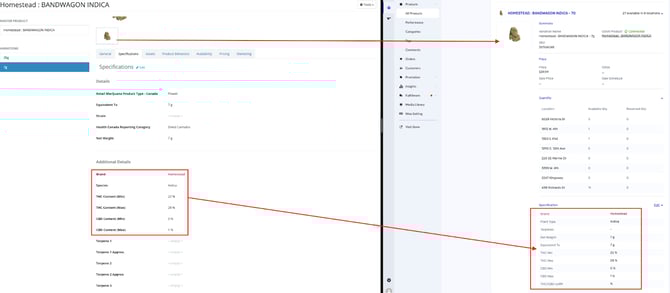
If you have been adding plant types to Cova in a location other than the "Species" field, please let Breadstack Customer Service know. Our team can ensure the right information makes it to your website.
#### For Greenline users
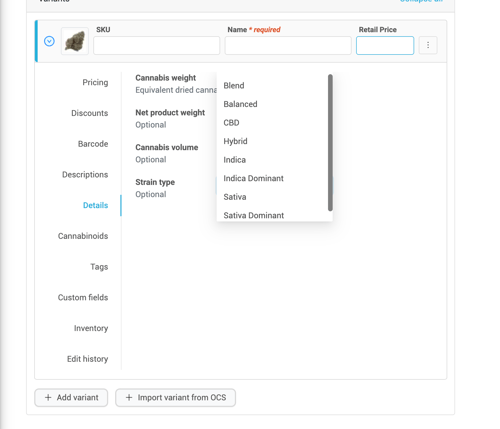
Greenline features a "Strain type" dropdown. This field is labelled as optional. However, please ensure you've assigned each product a strain if you would like them to display under the appropriate Strain Type filter on your website.
### Image requirements
#### File format
**File name:** When saving the image, use the same name as the product without special characters. For example, an image for a product called *Homestead : Bandwagon Indica* would be named *Homestead Bandwagon Indica*
**Format:** Save all images in .jpeg or .png format.
#### Image dimensions
Please ensure all images are square and conform to the following size guidelines:
- Minimum Size: 800 x 800px
- Recommended Size: 1024 x 1024 px
- Maximum Size: 2048 x 2048 px
| **WRONG** | **RIGHT** |
| --- | --- |
| **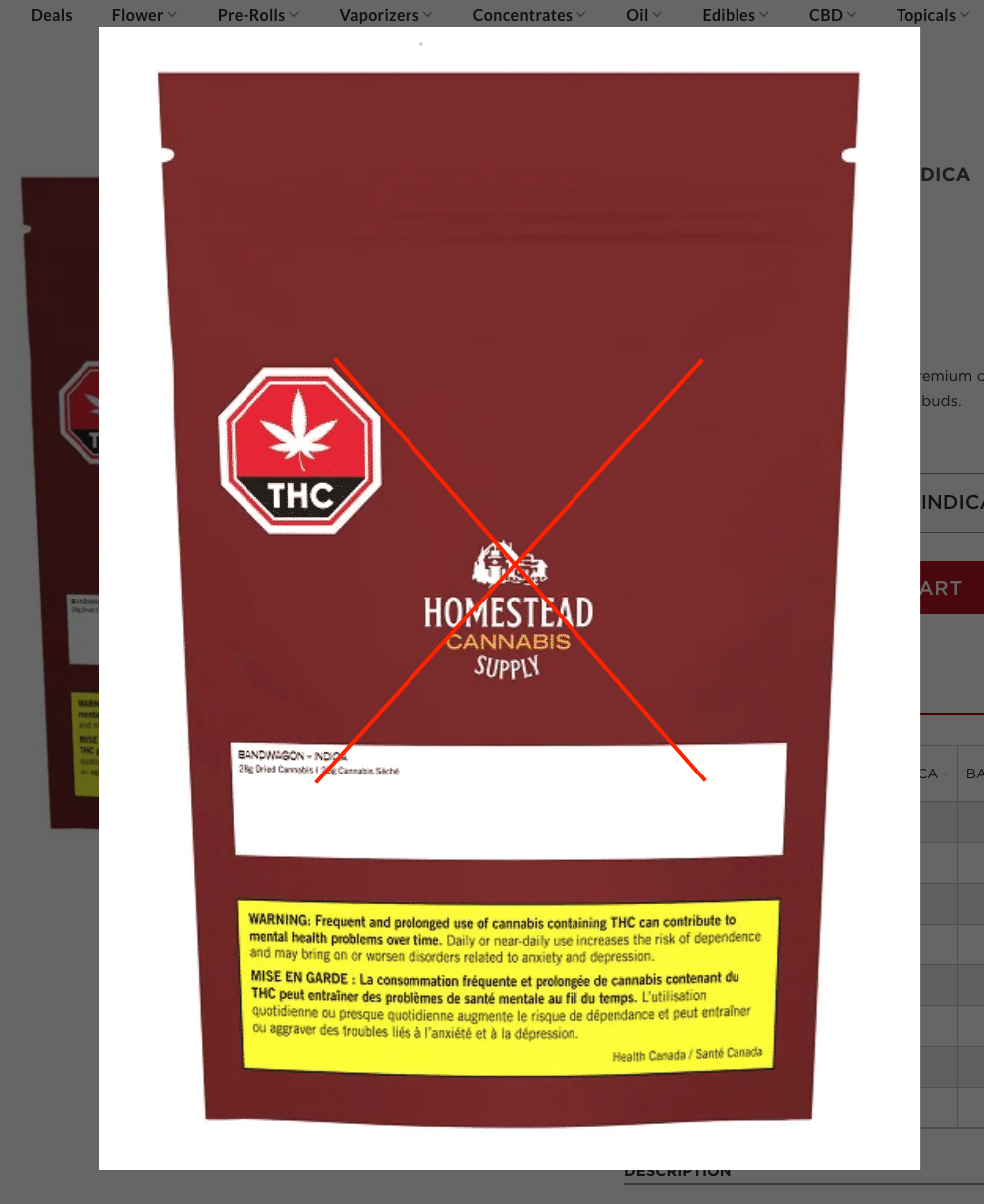** | **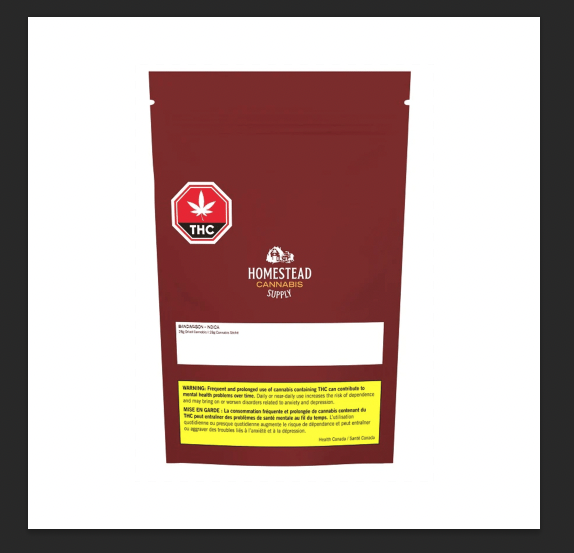** |
| Image is not square. Product image is too large (not enough white space). | Image is Square. White space is consistent around product. |
| **WRONG** | **RIGHT** |
| --- | --- |
| **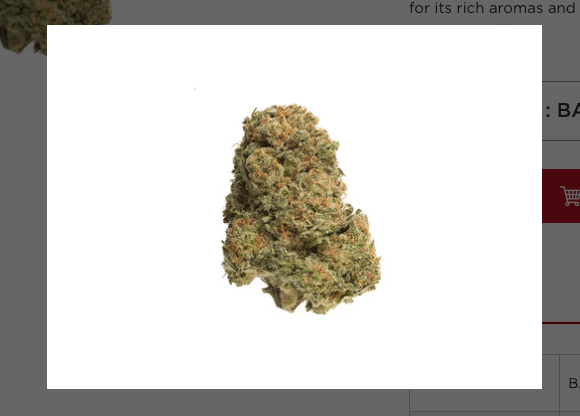** | **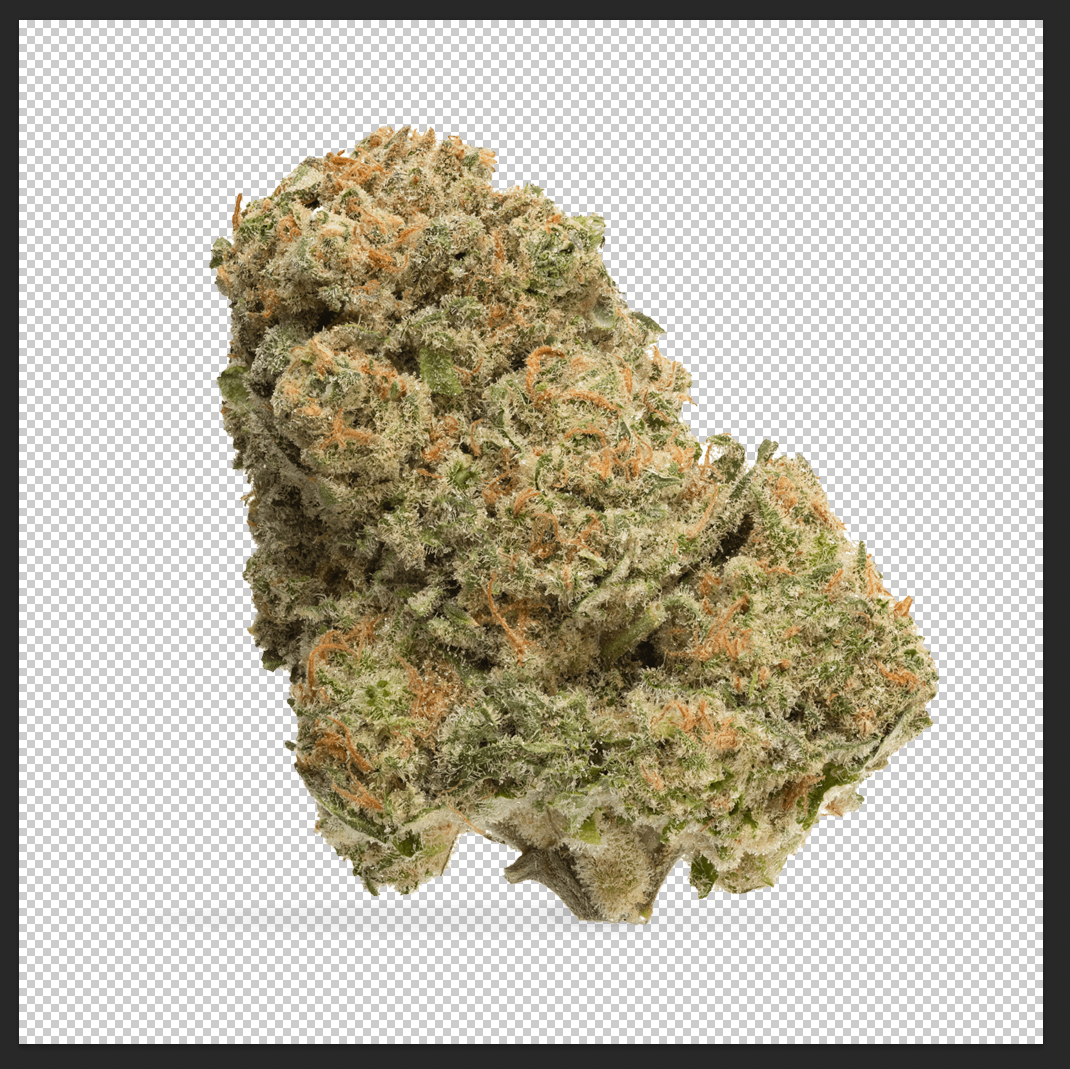** |
| Image is not square. Product image is too small (too much white space). Do not use small images and stretch them out to make the white space consistent. This will make them blurry. | Image is square, and there is consistent white space around product. Image is clear and not stretched out. Use only high resolution images, and scale down to make white space consistent. |
- [Getting started](https://helpcentre.breadstack.com/getting-started?hsLang=en-ca)
- [Online Store module](https://helpcentre.breadstack.com/online-store-module?hsLang=en-ca#main-content)
- [Promotions](https://helpcentre.breadstack.com/online-store-module?hsLang=en-ca#promotions)
- [Orders](https://helpcentre.breadstack.com/online-store-module?hsLang=en-ca#orders)
- [Products](https://helpcentre.breadstack.com/online-store-module?hsLang=en-ca#products)
- [Insights](https://helpcentre.breadstack.com/online-store-module?hsLang=en-ca#insights)
- [Service module](https://helpcentre.breadstack.com/service-module?hsLang=en-ca#main-content)
- [Service](https://helpcentre.breadstack.com/service-module?hsLang=en-ca#service)
- [Settings module](https://helpcentre.breadstack.com/settings-module?hsLang=en-ca#main-content)
- [Data](https://helpcentre.breadstack.com/settings-module?hsLang=en-ca#data)
- [Channels](https://helpcentre.breadstack.com/settings-module?hsLang=en-ca#channels)
- [Team](https://helpcentre.breadstack.com/settings-module?hsLang=en-ca#team)
- [Operation](https://helpcentre.breadstack.com/settings-module?hsLang=en-ca#operation)
- [Breadstack Delivery (CanFleet)](https://helpcentre.breadstack.com/breadstack-delivery-canfleet?hsLang=en-ca#main-content)
- [Breadstack Delivery module](https://helpcentre.breadstack.com/breadstack-delivery-canfleet?hsLang=en-ca#breadstack-delivery-module)
- [CanFleet Driver App](https://helpcentre.breadstack.com/breadstack-delivery-canfleet?hsLang=en-ca#canfleet-driver-app)
- [Breadstack OMS App](https://helpcentre.breadstack.com/breadstack-oms-app?hsLang=en-ca)
- [Integrations](https://helpcentre.breadstack.com/integrations?hsLang=en-ca#main-content)
- [Integrating a payment provider](https://helpcentre.breadstack.com/integrations?hsLang=en-ca#integrating-a-payment-provider)
- [Integrating a shipping or delivery partner](https://helpcentre.breadstack.com/integrations?hsLang=en-ca#integrating-a-shipping-or-delivery-partner)
- [Website editing guides](https://helpcentre.breadstack.com/website-editing-guides?hsLang=en-ca)
[](http://breadstack.com)
[mailto:email@email.com](mailto:email@email.com)
Copyright © 2026, Breadstack