
In some cases, you may have a product category in your POS that you want to hide from your website menu - for example, because you don't currently have any products for sale in that category. You can do this by mapping that category to an "Uncategorized" website category in Breadstack.
- Go to Settings > Ecommerce and click on Manage Categories.
- You'll see all your POS categories in the left-hand column. Find the category you would like to edit.
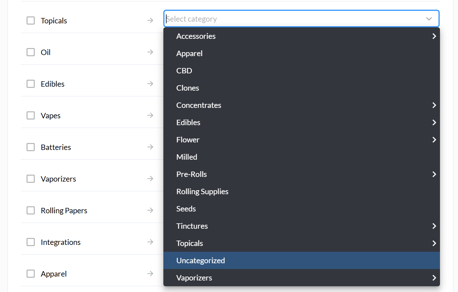
- In the right-hand column, select "Uncategorized" as your website category.
- When you're done, click Save at the bottom of the page.
To make this category visible again in the future, follow the process for Matching a category.