
The CanFleet Driver App is available for both Android and iOS devices.
Getting started
1. Receive your invitation and download the app
Your store will send you a text message inviting you to join the CanFleet Driver App. When you receive this message:
- Copy the temporary password (you'll need it shortly).
- Follow the link in the message to download, then install, the CanFleet Driver App.

2. Log in and set up your account
- When you open the app for the first time, you'll be prompted to enter your phone number. In the Password field, paste the temporary password you received in your invitation text message. Tap Next.
- You'll be prompted to create and confirm a new password. When you're ready, tap Next.
- Enter details about your vehicle. You'll need to provide its make and model, colour, and license plate number. Tap Next when you're done.
- Upload a profile photo, either by snapping one or choosing an existing image from your phone's library. Note that your store's dispatcher will be able to see this photo. You can change it any time. Tap Next.
You can manage your personal settings - including notifications and availability - at any time from the Account section of the app. Learn more here.
3. Go online
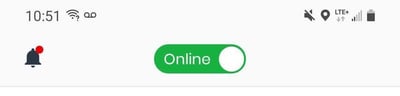
You're in! When you're ready to start receiving tasks, change the toggle at the top of your screen to the Online position. This will let your store's dispatcher see that you're available, assign you tasks, and track your location.
4. Find your tasks
To view your full list of assigned tasks, visit the To do section of the app.
By default, you'll receive notifications about new tasks assigned to you. You can check and adjust your notifications settings any time.
Ready to start driving? Learn how to handle pickup and dropoff tasks.